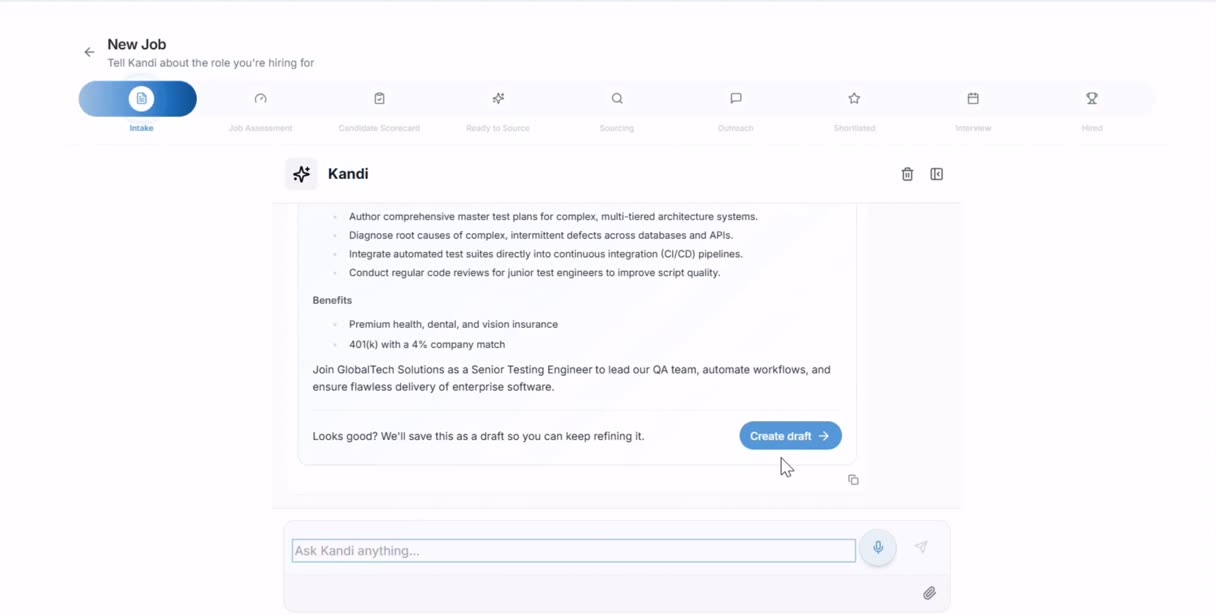
Ask for the work. Approve it. Done.
Or turn the dial up and read the summary.
Kandi runs the workspace. Ask it to source a role, rank what came back, draft the outreach or book the calls, and it does the work and brings it to you. How much it does without asking is a setting. Out of the box, nothing reaches a candidate unapproved.

Is this a chatbot bolted onto a database?
It runs the product. Sourcing, ranking, drafting, scheduling and the pipeline are all things it can actually do, and every action it takes is one you could have taken yourself in the interface. When it does something consequential it shows you a card and waits.
How much does it do without asking?
As much as you allow. At the cautious end it proposes and you approve each step. At the far end it works your open roles overnight and you review a morning summary. Most desks settle in the middle — autonomous through sourcing and ranking, hands on the wheel before anything reaches a candidate.
Will it tell me when something's stuck?
It opens with it. Rather than a dashboard you have to interpret, the home view says what's wrong and offers to fix it. This role has had no replies in six days, this one has candidates waiting on client feedback, this job's outreach is held on a field you can clear in one click.
Sacramento CRNA: 20 contacted, 0 replies in 6 days. The subject line is the likely culprit. Rewrite and resend to the 14 who haven't opened?
20 drafts ready. 4 held: the job overview repeats the opening pitch. Fix that one field and all four clear.
Fix it and send the 20.
Click through it yourself.
A guided walkthrough of the real screens. No signup, no sales call: follow the prompts, or skip ahead with the dots.

Kandi
Or turn the dial up and read the summary.
3 steps · about a minuteEverything else buyers ask
Can I make it repeat something on a schedule?
Yes. Anything Kandi can do once it can do on a schedule: re-run a search every Monday, chase unanswered candidates on day four, refresh a market check monthly. Build the sequence once as a flow and it runs itself, with the same approval rules you set everywhere else.
Does it work where I already am?
It runs in Slack, and it embeds on your careers site as a chatbot that answers candidate questions with your own content rather than a generic script.
Does it ever contact a candidate on its own?
Only if you set it to. Out of the box, anything that reaches a person waits for approval.
Can I see what it did while I was away?
Yes. Every action is logged and replayable, including the ones it proposed and you rejected.
Do different recruiters get different setups?
Yes. Autonomy and agents are per user and per job, so one desk can run hands-off while another approves everything.
What model is behind it?
It routes to different models by task and that changes as better ones ship. What stays fixed is the approval boundary, which is enforced in our own code rather than by the model.
Explore more features
See what else the engine does across the desk.
See it on one of your own roles.
A one-month pilot runs on two real roles from your desk. The fee credits 100% toward month one, so the trial costs you nothing if you continue.